You are using an unsupported browser. Please update your browser to the latest version on or before July 31, 2020.
close
You are viewing the article in preview mode. It is not live at the moment.
Home > Medical Language Lab > Student > Student: Gradebook: Medical Language Lab
Student: Gradebook: Medical Language Lab
print icon


Module Assignments

Once you have accessed your Gradebook, you will be able to view the status of your work, your grades, and the time spent in each lesson. Note that you are able to toggle between Module Assignments and Test Bank Assignments.
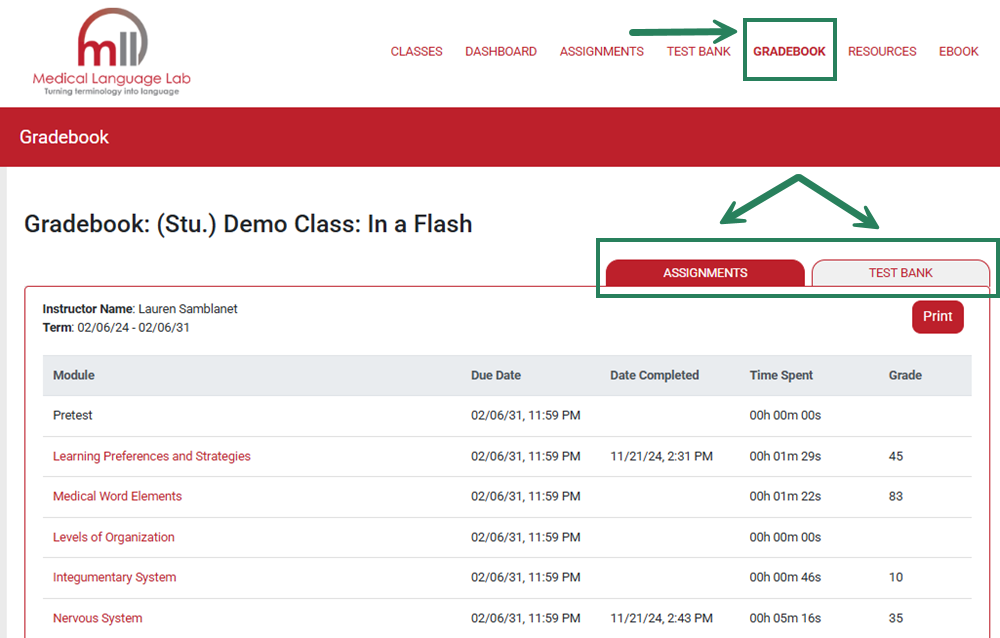
 

Screenshot of the Gradebook page, with the "Gradebook" button in the top toolbar highlighted. Below, the "Assignments" and "Text Bank" tabs are highlighted in a bounding box.


You can also click on the Module Name (in red) to review each Exercise Type.
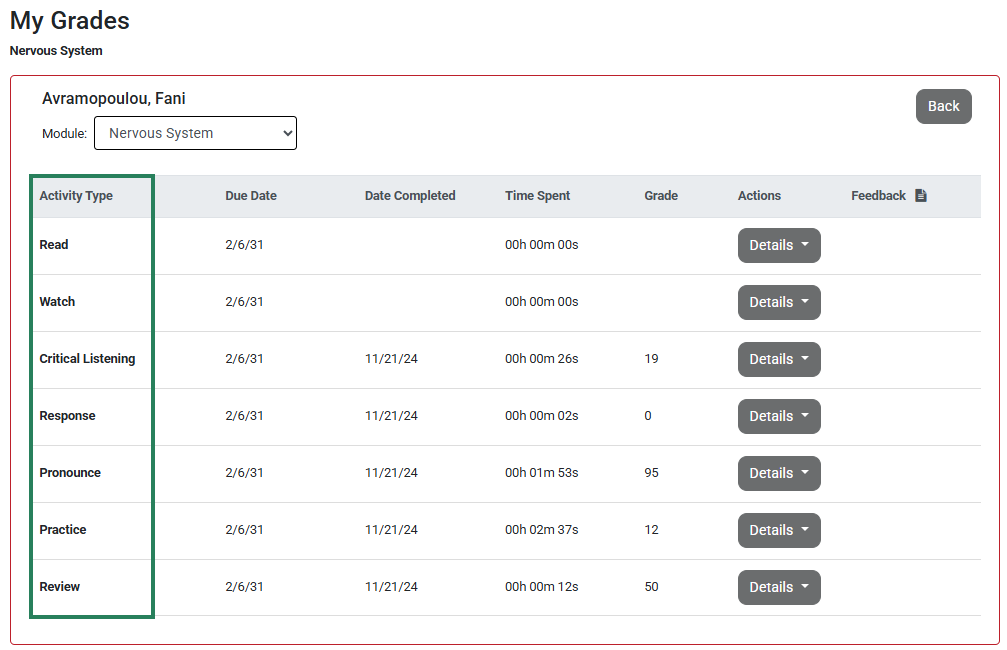
 

Screenshot of the Gradebook page open to the Nervous System module, highlighting all the different sections of the assignment on the left.


Once you’ve selected Module Name (1), you can click "Details" (2) to reveal each exercise within an activity type (3).
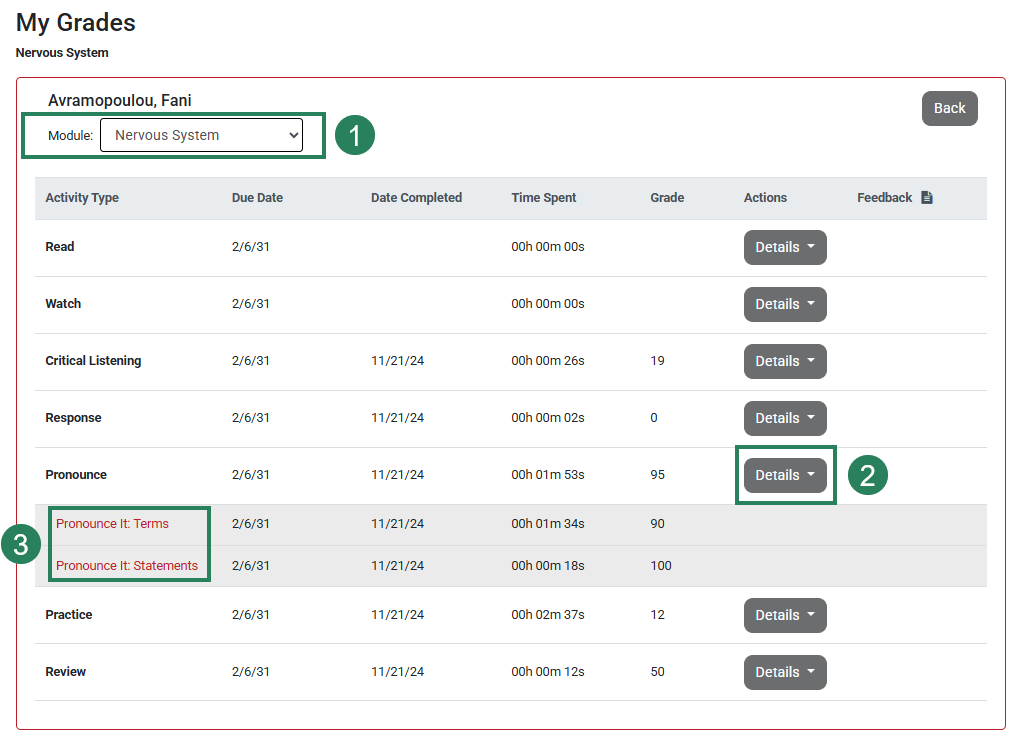
Screenshot of the Gradebook page open to the Nervous System module. The module selection dropdown button is highlighted and labeled number 1. Below that, the "Details" button next to one of the activity sections is labeled number 2. Below that the two exercises in that section are revealed and labeled with the number 3.


You can also click on each individual Exercise (in red) to reveal your submitted answers.
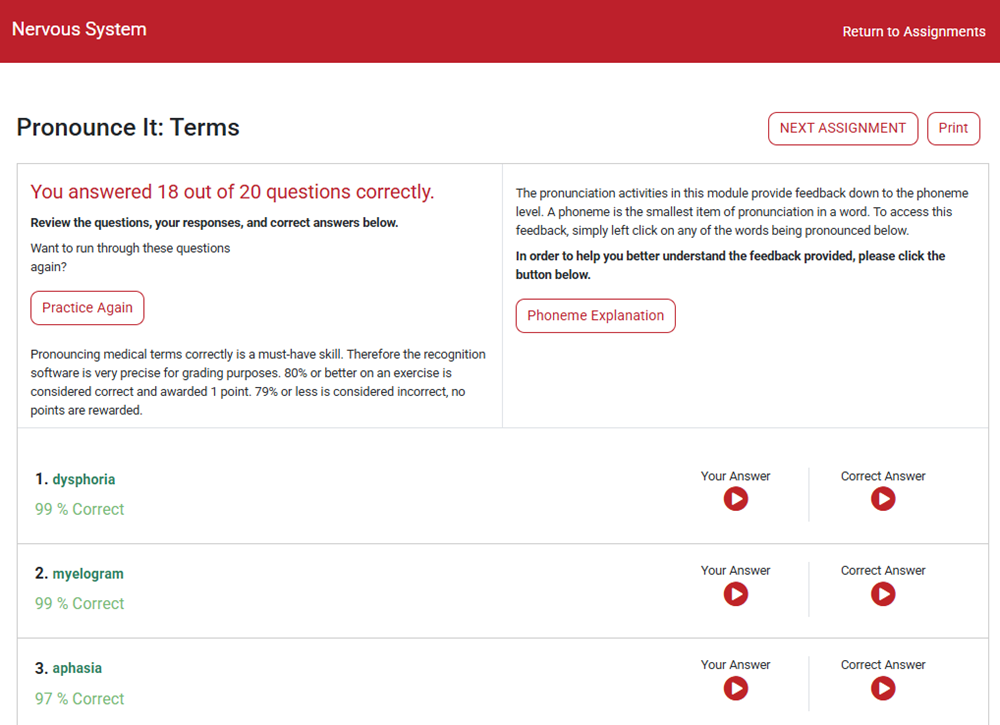
 

Screenshot of a completed activity that has been accessed through the Gradebook to reveal the student's submission and feedback.


TestBank Assignments

Click the Test Bank tab to reveal your scores on Test Bank Assignments and Practice Quizzes. Note the ability to toggle between the two.
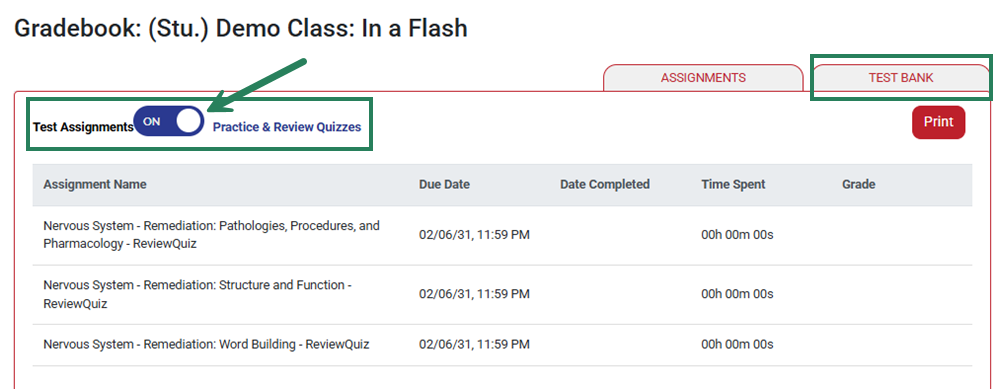
Screenshot of the Gradebook page open to the Test Bank tab. A bounding box highlights the Test Bank tab, and below that a bounding box highlights the toggle button between Test Assignments and Practice & Review Quizzes.

scroll to top icon