You are using an unsupported browser. Please update your browser to the latest version on or before July 31, 2020.
close
You are viewing the article in preview mode. It is not live at the moment.
Home > Medical Language Lab > Student > Student: Test Assignments and Practice Quizzes: Medical Language Lab
Student: Test Assignments and Practice Quizzes: Medical Language Lab
print icon

Test Assignments are created by instructors and assigned to either particular students or the class as a whole. Click the Test Bank tab to access both Test Assignments and Practice Quizzes that have been assigned to you.
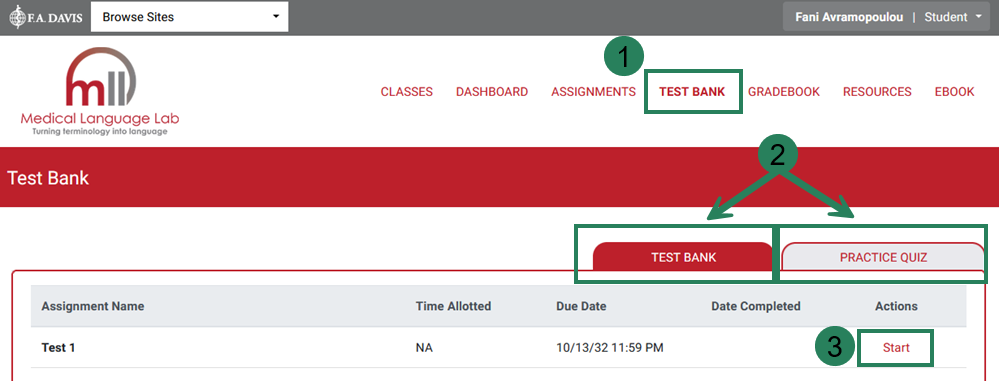


Screenshot of Medical Language Lab open to the Test Bank tab, highlighted with the number 1, with the option to toggle between the Test Assignments and Practice Quizzes highlighted with the number 2.


After clicking "Start," you’ll continue to the questions. Click "Submit" in the dialog window when you are finished.
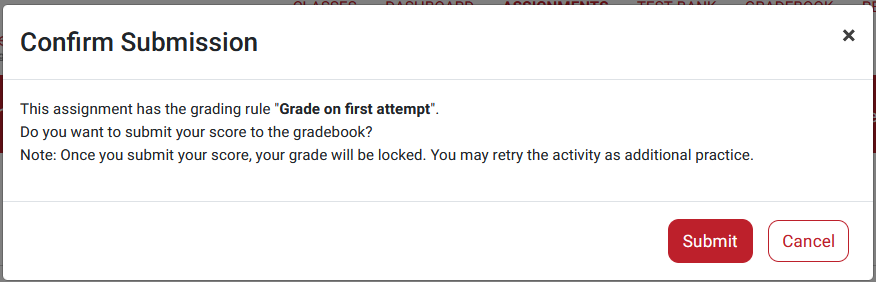
 

Screenshot of the submission window for a Test Assignment or Quiz.


After completing the Test Bank Assignment or Practice Quiz, you will be taken to your results page where you can review your score, individual responses, and the correct answers to each question. 
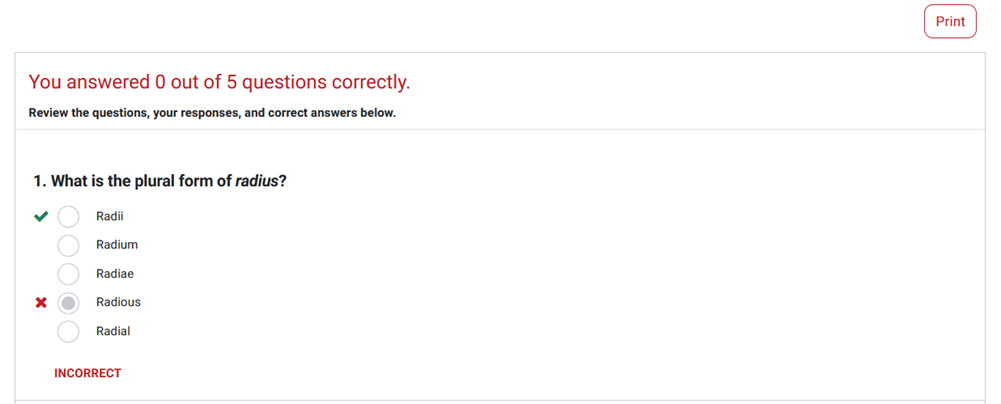


Screenshot of the results page for a Test Assignment or Quiz.


You can always return to this page by clicking "Review" next to the assignment.
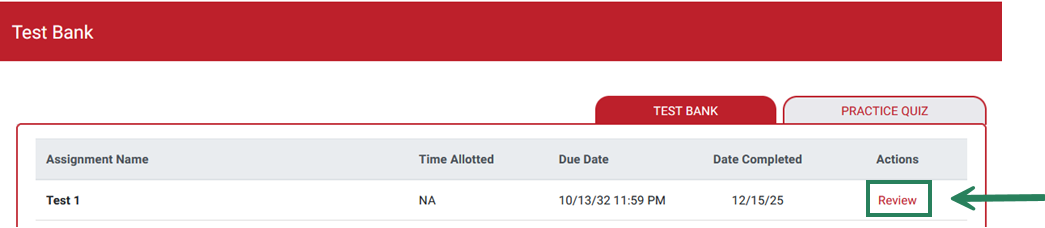
 

Screenshot of the Test Bank page with the option to review a completed assignment highlighted with an arrow.


scroll to top icon