This article reflects updates to Davis Advantage for all RN-level titles that include Davis Advantage.
PAIGE is a smart, friendly AI tutor designed to support learning, reinforce critical thinking, and respect academic integrity. Built directly into Davis Advantage, PAIGE provides instructor-controlled, trustworthy AI support for students. PAIGE operates in two distinct modes: Learn mode and Coach mode.
Learn Mode
Learn mode helps students understand and study course content. In Learn mode, PAIGE helps students build understanding by answering questions, summarizing content, and creating study materials. Learn mode is accessible from non-assignment pages, such as the student dashboard, PLP, and resources page, as well as Personalized Learning overview pages and video pages.
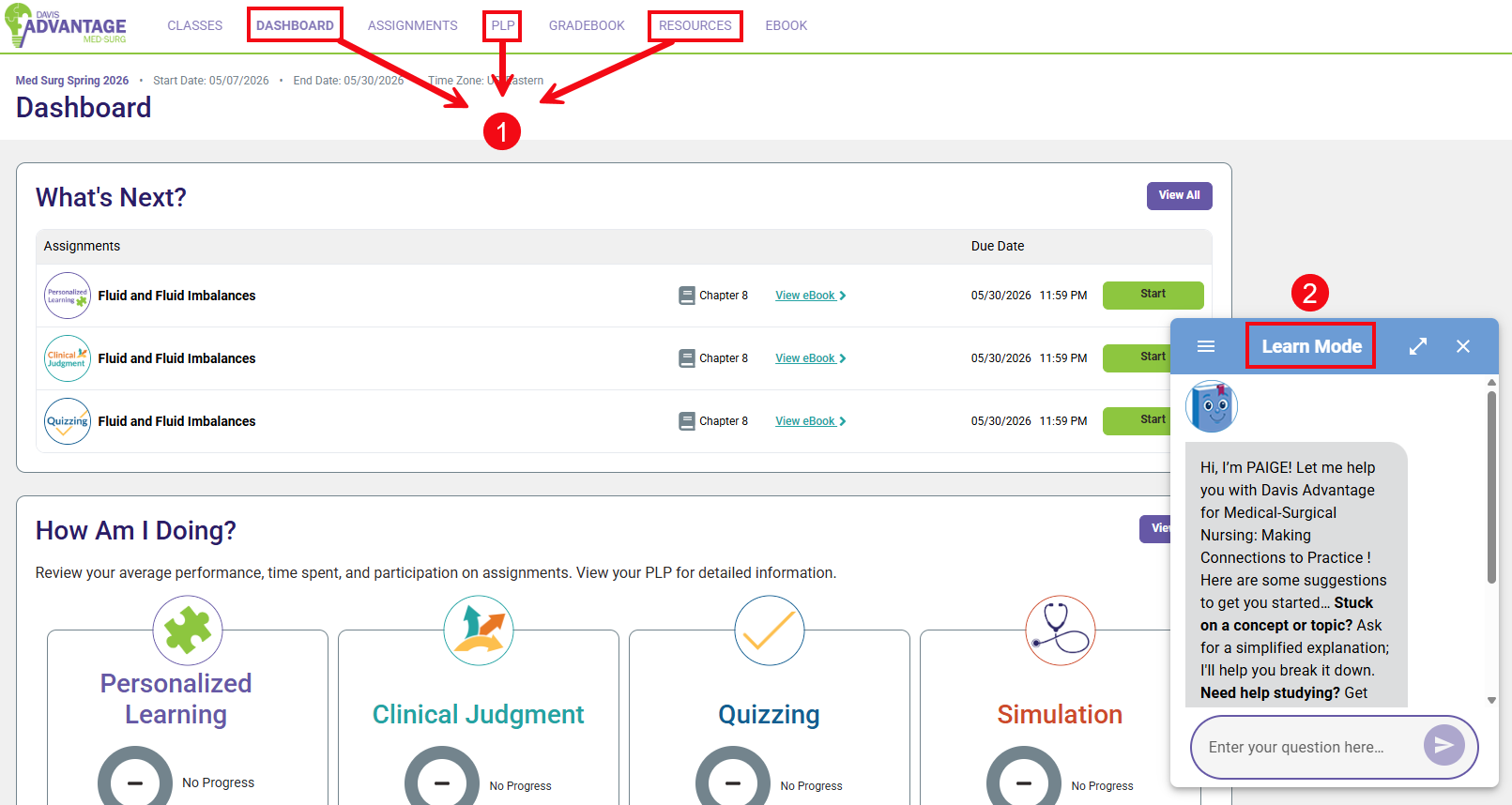
In Learn mode, students can ask PAIGE questions about course materials. PAIGE can break down complex concepts step-by-step, and summarize chapters and key topics.
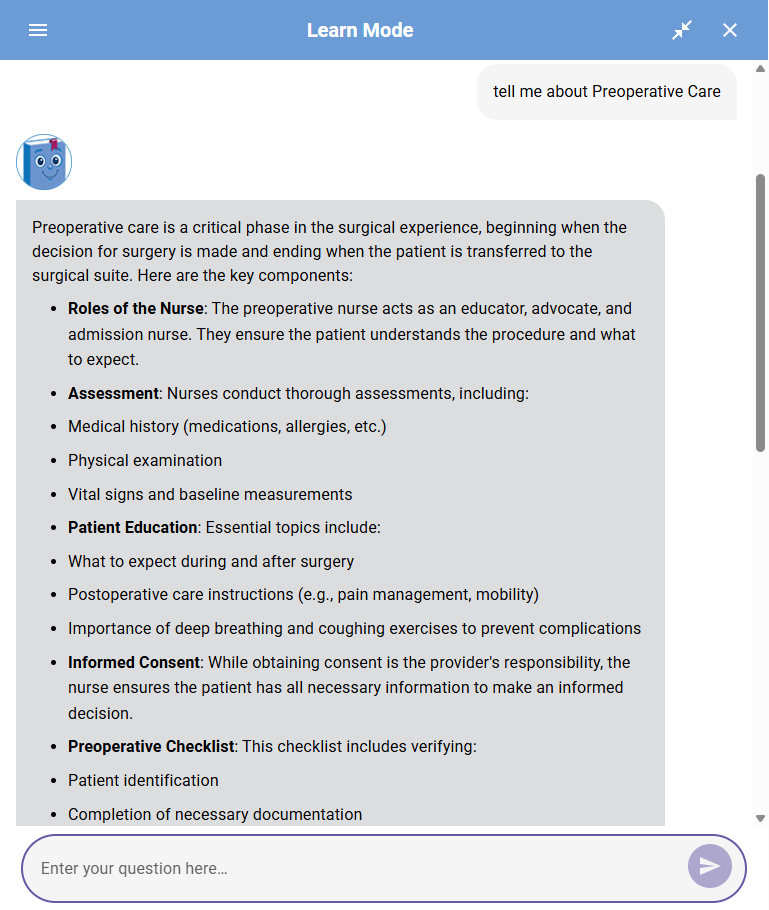
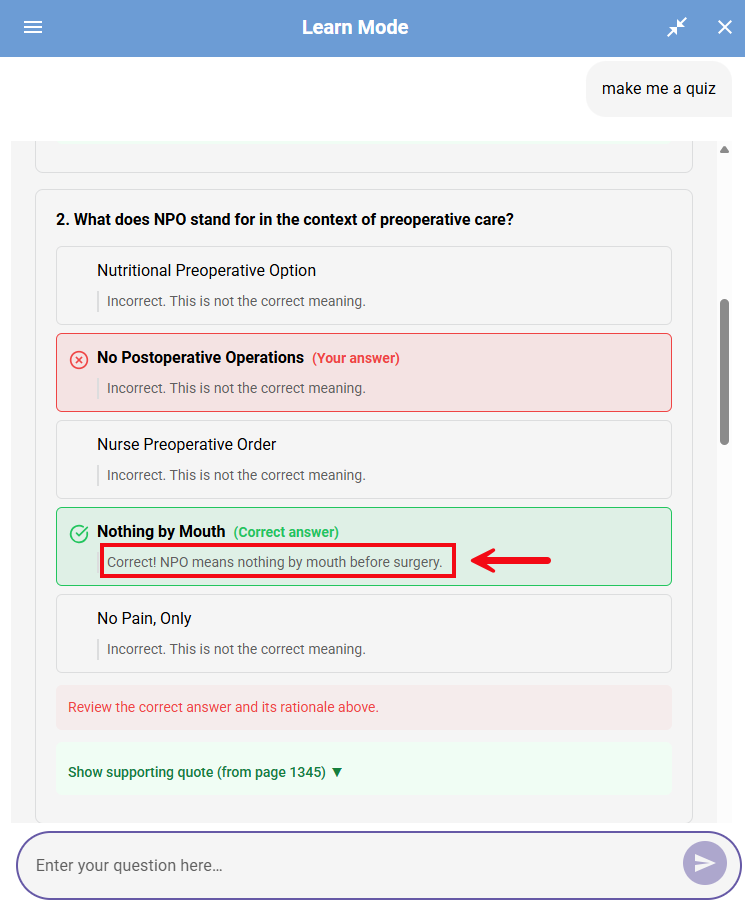
Students can ask PAIGE to generate study guides and practice quizzes.
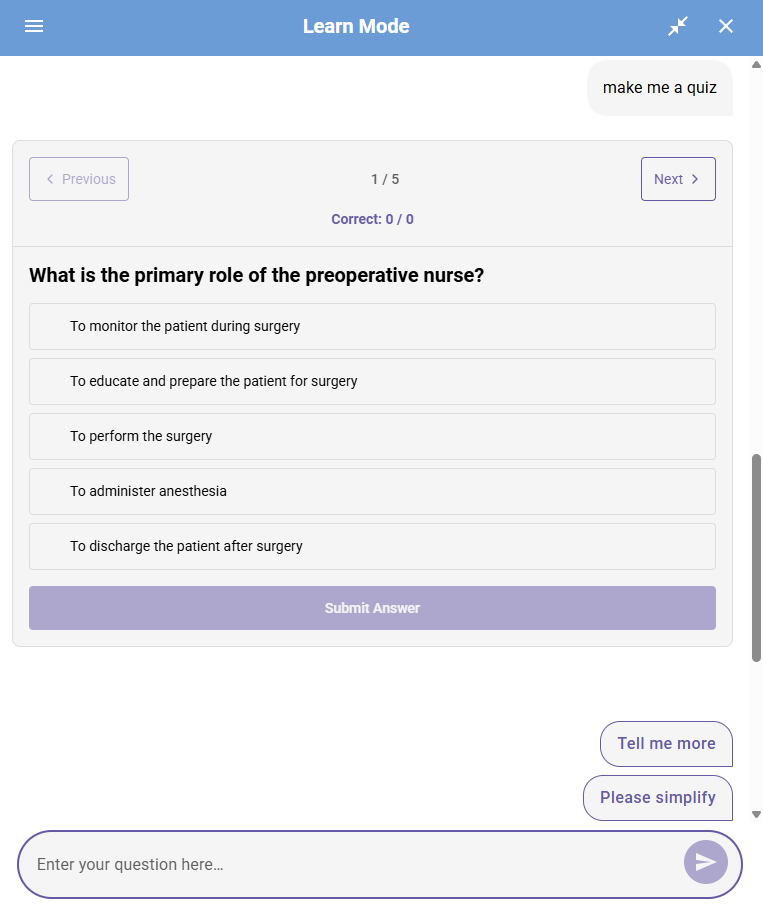
The practice quizzes provide immediate feedback, with rationales for each option.
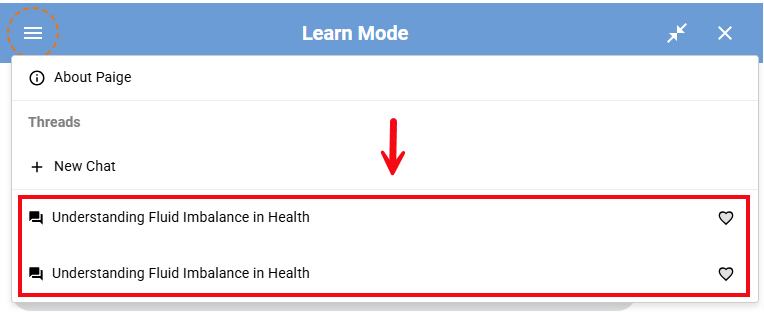
Students can also save chat threads to revisit for study and review.
Coach Mode
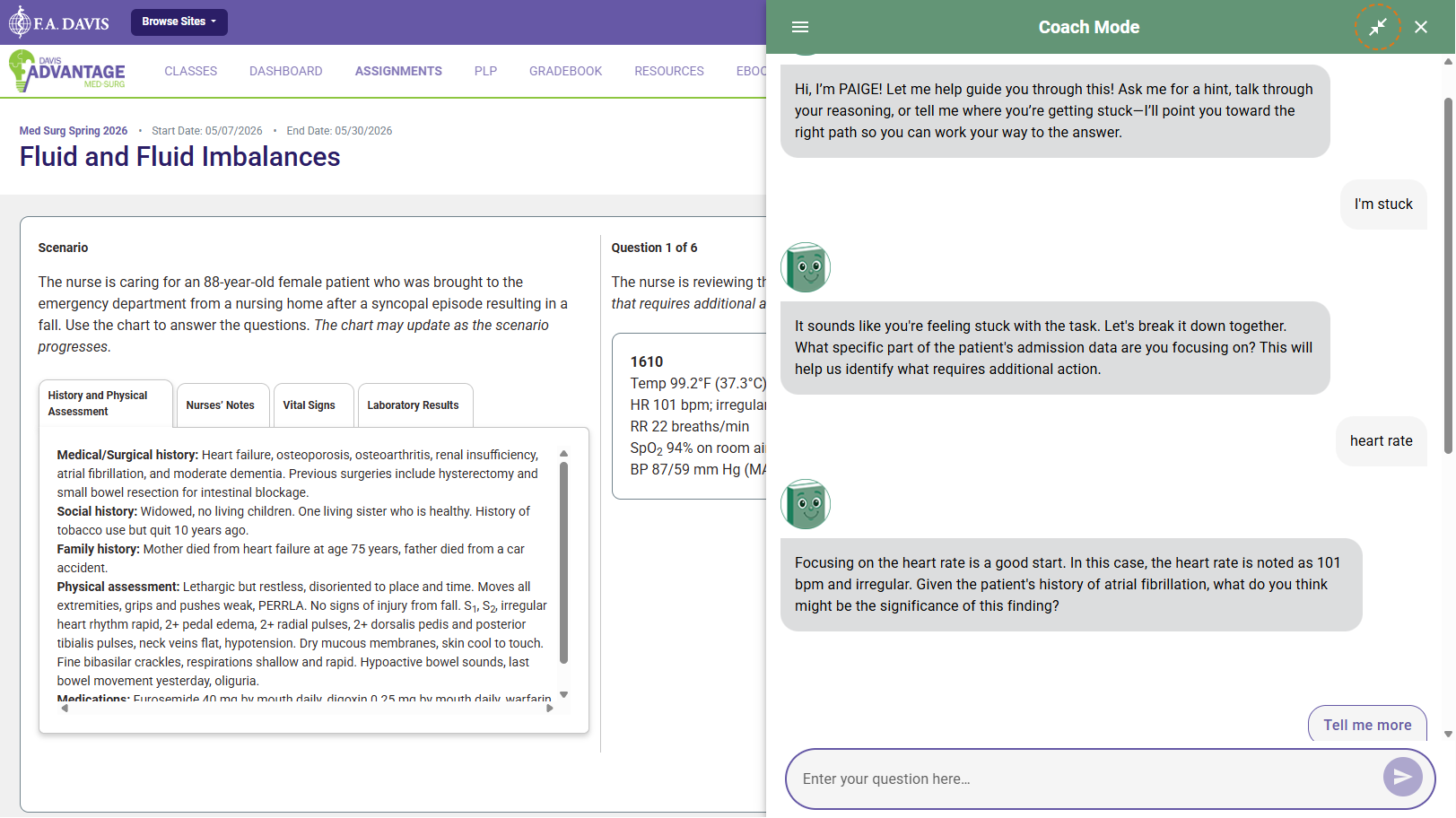
In Coach mode, PAIGE shifts from providing answers to guiding the development of critical reasoning. Coach mode highlights key information in questions, prompts deeper reasoning with guiding questions, and encourages productive struggle and independent thinking. Coach mode is accessible within Personalized Learning activities and Clinical Judgment assignments.
PAIGE during assessments
PAIGE is intentionally not available during the pre- and post-assessments within Personalized Learning assignments, Simulation assignments, and Quizzing assignments to ensure fair evaluation and instructor confidence.
Enabling or Disabling PAIGE for New Classes
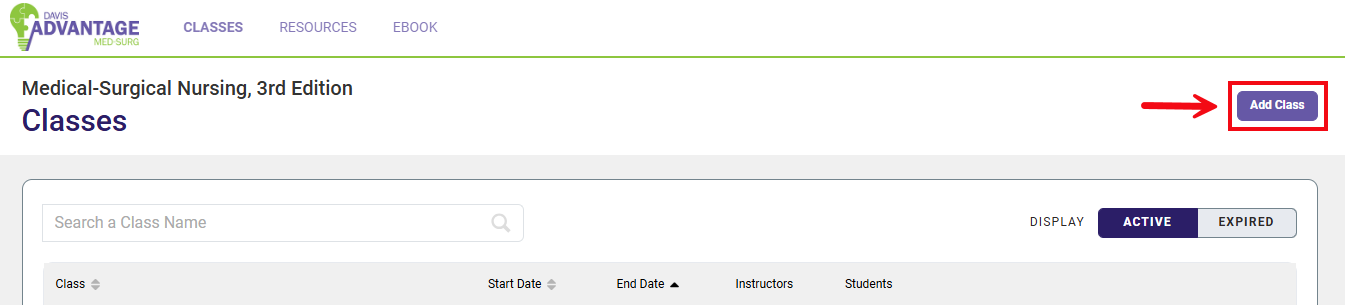
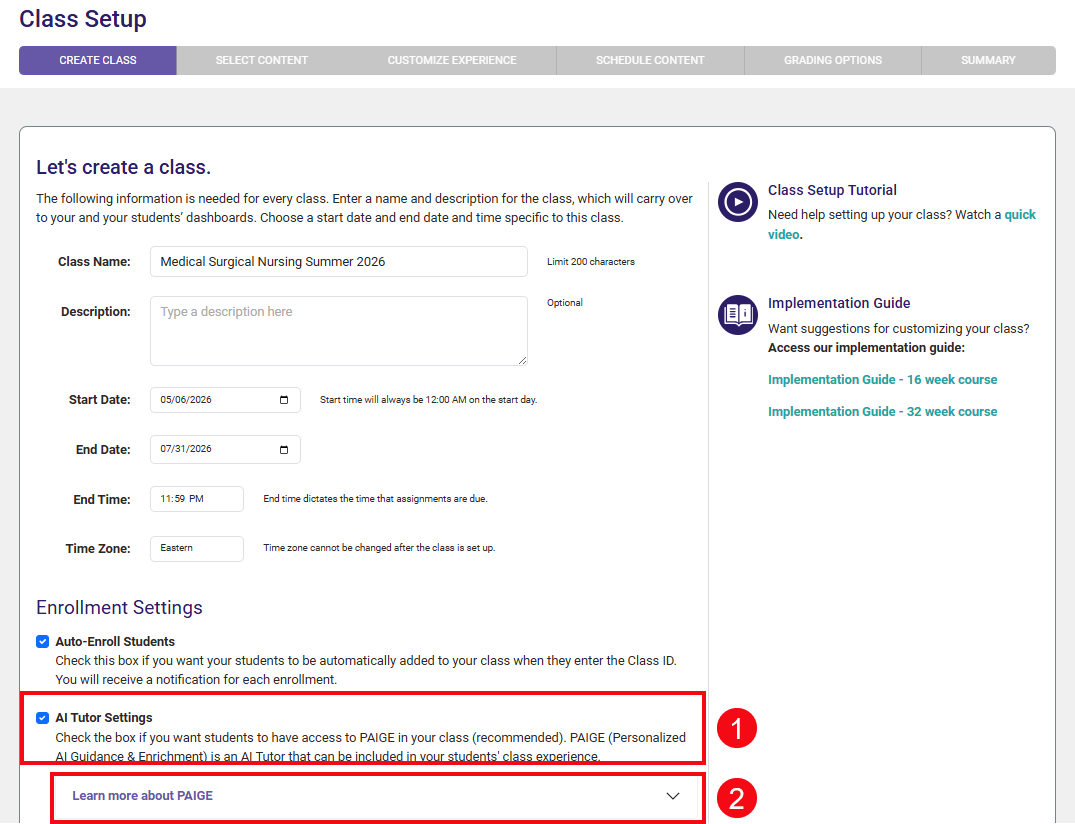
If you are creating a new class, you can enable or disable PAIGE when you set the class up. To begin click the Add Class button from the Classes page in Davis Advantage.
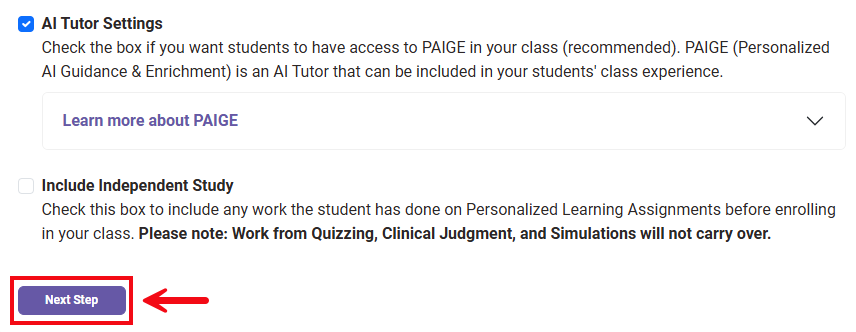
On the first Class Setup page, Create Class, add your basic class information. You will see the AI Tutor Settings (1). PAIGE is defaulted to being enabled for new classes. Clicking Learn more about PAIGE will show more information about the AI Tutor.
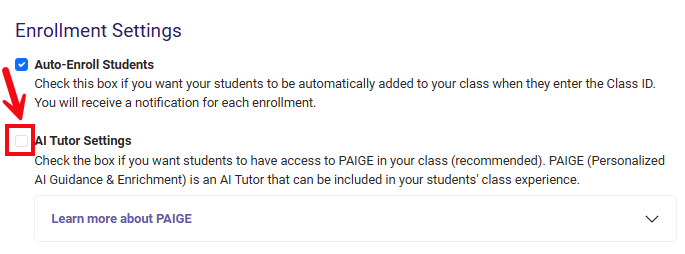
To disable PAIGE, click the checkbox next to AI Tutor Settings so it is not checked.
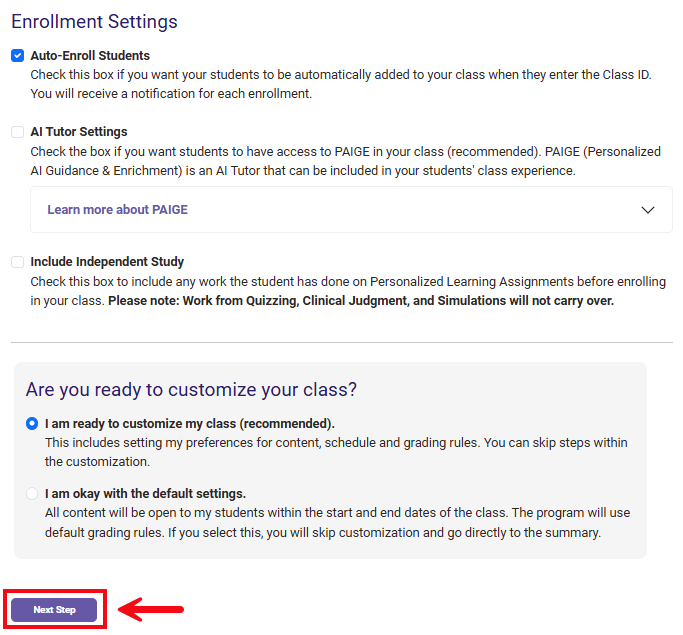
Click the Next Step button to save your settings. You will then complete the rest of the settings to get your new class set up. You can learn more about the rest of the creating a class process in the Create A Class article.
Enabling PAIGE for Existing Classes
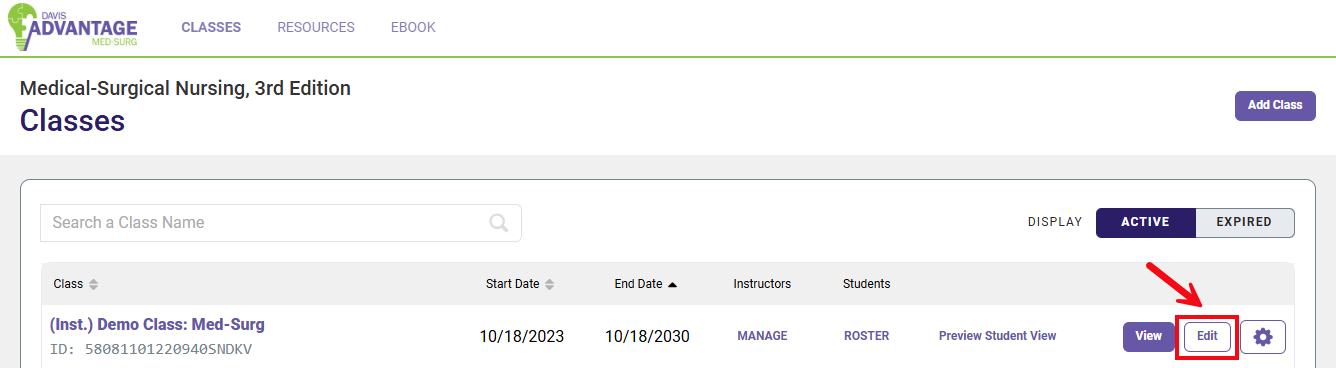
For existing Davis Advantage classes, PAIGE is disabled by default. You can enable PAIGE at any time by editing your class settings. Once in Davis Advantage on the Classes page, click the Edit button.
The first Class Setup page is called Create Class (1). From this page, scroll down until you see AI Tutor Settings, where you can click the checkbox to enable PAIGE (2). You can also click Learn more about PAIGE to get more information on how PAIGE operates (3).
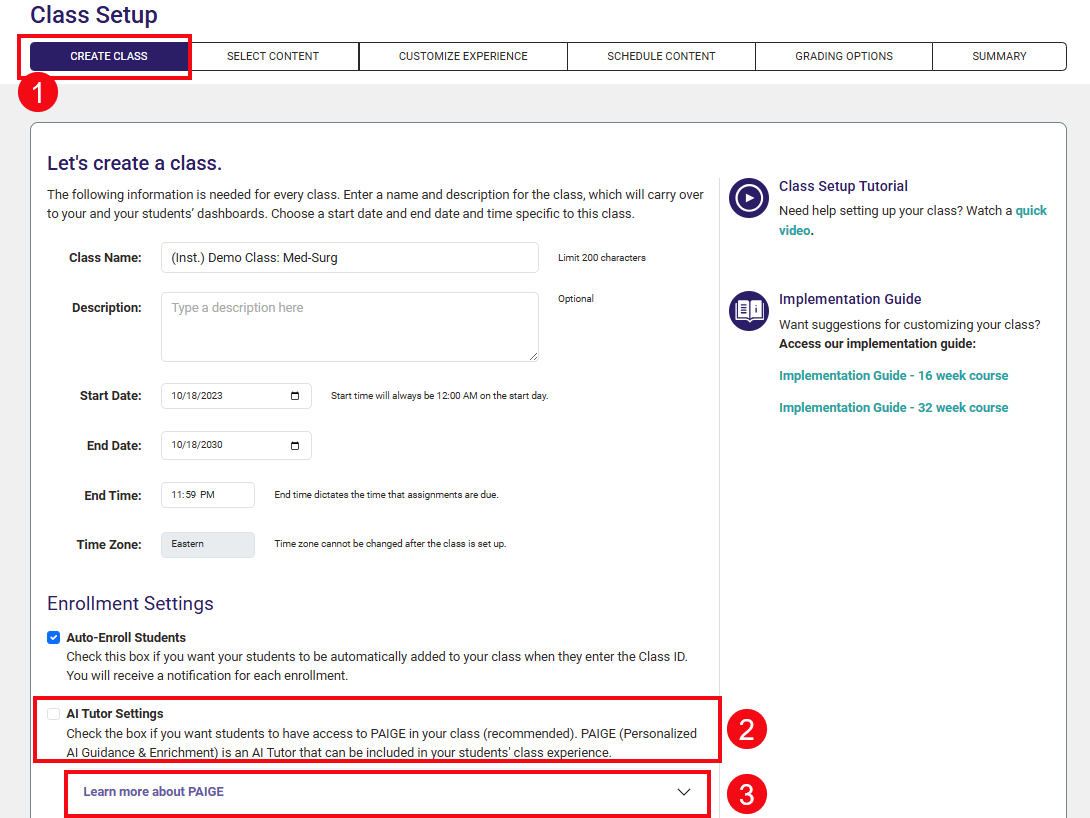
Click the Next Step button to save any changes. If you clicked the checkbox to enable PAIGE, once you click Next Step, the AI Tutor will be enabled.