Join Instructor's Class
After logging into FADavis.com, gaining access to your textbook and accessing its Medical Language Lab content, you will be prompted to Join a Class or to continue as Independent Study.
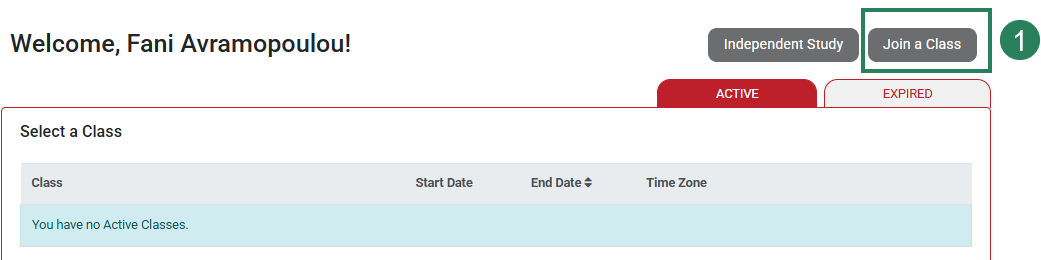
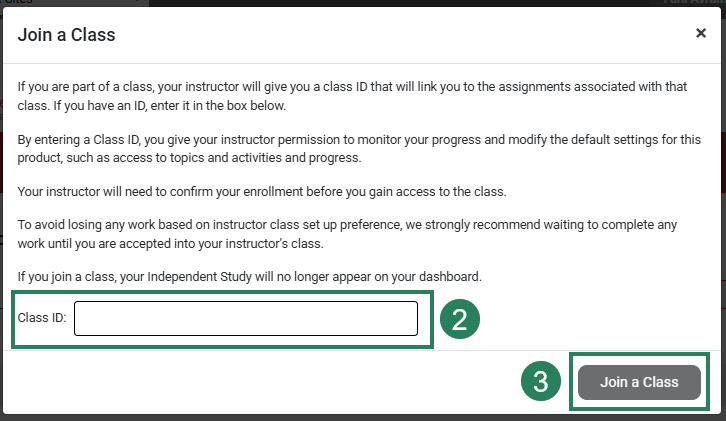
If your instructor provides you with a Class ID, you must enroll in order to join your instructor's course and have your work recorded in your instructor’s Gradebook. To enroll in a class, click the "Join a Class" button (1), enter your Class ID (2), and then select "Join a Class" (3) again to close the dialog box.
If you are not using Medical Language Lab as part of a class, you may select Independent Study to work on your own.
Confirm Enrollment
Once you have entered a valid Class ID, the class title will appear on your Classes page.
If your instructor has set up auto-enrollment, you will be able to View the class immediately. If your enrollment request is awaiting instructor approval, "Acceptance Pending" will appear.
Unenroll from a Class
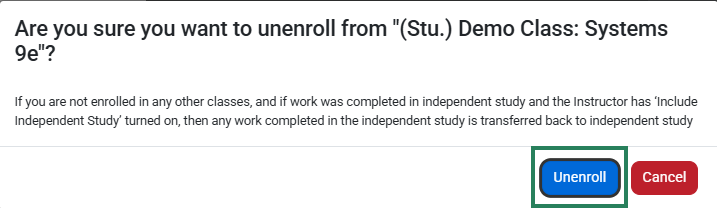
If you need to unenroll from a class, click the "Unenroll" button to the right of the class.

A pop-up will appear asking you to confirm this action. The instructor will be notified of your unenrollment.